Tampilkan postingan dengan label History. Tampilkan semua postingan

History and Development of Motherboard

Juli 22, 2018
History and Development of Motherboard

Understanding and Function of Motherboard - Hardware or in the Indonesian language is often called computer hardware is a computer part whose form can be seen and touched. Hardware can also be interpreted sebgai tool that can receive and process data. Currently, a lot of hardware that works on the computer, both the main hardware and additional hardware. One of the hardware that will be discussed is the Motherboard (board iduk) and its development history.

 Understanding Motherboard

Motherboard is a computer hardware that has the main and most vital role. Where in the way it works, the motherboard assumes the task of managing the technical issues surrounding the BIOS (Basic Input Output System), Chipset (input-output connection controller), RAM (temporary data storage memory), VGA card (graphic data storage memory) , processor, and Additional card (PCI, ISA).


Motherboard Function

Motherboard serves as the center of all computer hardware so that all computer hardware can be connected between one component with another component. For example: processor, Memory (RAM), hard disk, optical drive, keyboard, mouse, monitor and all computer hardware installed and connected using motherboard.

History of motherboard development

The motherboard was first made in 1977, by Apple for its Apple II. For information, once computer components such as CPU and memory are placed on a single card, and connected by cables. The look is very complicated.

Due to the hassle of connecting one PC component with another component, the computer product developers had an idea to create a special place to store various computer peripherals. A wide board of various slots was created as a place to plug in the PC components. The board is named after the motherboard.

In the early developers of the motherboard are the company Micronics, Mylex, AMI, Huppauge, Orchid Technology, Elitegroup, and DFI. In addition, there are still some other moherboard manufacturers from Taiwan.

Between 1980 and 1990, the incorporation of several peripheral functions into the motherboard pushed motherboard imagery into an increasingly economical form. The first integration is to combine keyboards, mouse, and floopy drive slots, as well as serial and parallel ports into the motherboard.

If you notice, until now the standard form of the motherboard was still changing. The first standards used are used PC / XT, and used IBM. After that, reappear AT (Advance Technology). After AT, there is a new standard that is still used, namely ATX (Advance Technology Extension). ATX standard is then modified into Mini ATX and Micro ATX.

Currently, Intel also issued a standard BTX (Balanced Technology Extension). Unfortunately, the market is not yet interested in using it. VIA computer manufacturer also issued its own standard, which is mini ITX.

Changes in motherboard design and technology continues to evolve. In the early 2000s, integration expanded. Motherboard now features sound and VGA that is directly attached to the body, other terms onboard. Other features that can now be obtained from several motherboards in the form of USB connectivity, FireWire, and LAN.

There are several companies that produce motherboards, among others:

 Asus


Asus's name may already sound very familiar to our ears, Asus's company was created in 1989, when four computer engineers, Wayne Hsieh, Ted Hsu, MT Liao and TH Tung intend to set up a new company to advance the IT industry in Taiwan. ASUS is considered the world's largest manufacturer, when it comes to motherboards, and one of the best motherboard brands for gaming. Asustek, apart from making motherboards, also makes many other consumer electronics PCs, which are sold worldwide. ASUS has been linked with Intel that can be traced back to the day from the release of CPU 486. Therefore, ASUS received samples before Intel CPU, before other manufacturers. ASUS is famous as one of the best motherboard brands.

 Gygabyte

GIGABYTE Founded in 1986, headquartered in Taiwan, Taiwan, is known as the industry's leading IT brand. GIGABYTE started from development and research and has since become one of the market leaders for motherboards and graphics cards. Gigabyte motherboards always get good appreciation from different computer supply sites. Overall customer satisfaction for Gigabyte motherboards is positive, and they have a solid level of customer satisfaction. Also, they are considered top-notch, when it comes to keeping up with new technology.

MSI

the company was founded in 1986, and has emerged as one of the best motherboard brands of 2010. Many new models of MSI motherboards are well designed products, which can be compared with brands like ASUS and Gigabyte, MSI motherboards however cost less. The board has also been shipping with a good suite of software. This brand is not very well know, but seems to be a reliable one, and good value for money.

Intel

Intel Corporation founded 1968 is a multinational company based in the United States, Intel may already be familiar as a maker of one of the best computer processors, but many people do not know that they also make world-class motherboards. When it comes to manufacturing motherboards, Intel has different benefits, because it has knowledge in processor and chipset specifications, which helps to make motherboards a stable and high performance. However, the weakness of Intel motherboards, they are only compatible with Intel processors.

maybe so much that I can say about the history of the motherboard thanks.

History And Development Of Monitor

Juli 21, 2018


For friends - friends who do not know about the history of the monitor or even the layman altogether, I want to share information about technology about how the history of computers from the beginning until now. Monitor, what happens if we play a computer without a monitor? surely many people say mending do not have a computer toys time yes? Monitor can be defined Interface or visual screen that connects between human and computer. Monitor to date has been developed in two phases. The first phase in 1855 was marked by the discovery of cathode ray tubes by German scientist Heinrich Geibler. He is the father of the tube monitor. Then, 33 years later, Austrian chemist Friedrich Reinitzer laid the foundation for developing LCD technology by discovering liquid crystals. The tube technology since the beginning was developed for realizing monitors. However, liquid crystals are still a chemical phenomenon for the next 80 years. At that time, the display frame rate or even unthought. That was the second phase of the development of computer monitors. During this time, many consider that Karl Ferdinand Braun as the inventor of the cathode ray tube. Actually, he was the first application maker for the tube, the oscilloscope in 1897. It was this device that became the basis for the development of other devices, such as television. That same year, Joseph John Thomson invented the electrons, which accelerated the development of the tube technique.

Monitor progress to date

Monitor progress is very significant from year to year. Currently there are three types of monitor technology. The three classes of technology are CRT (Cathode Ray Tube), Liquid Crystal Display (LCD) and Plasma gas.

1. Cathode Ray Tube

Brown Tube Technology (CRT Display) was invented in 1897, but this technology was only adopted as a television broadcast receiver in 1926. The history of the invention of CRT technology has been more than 100 years and has a very good image quality. However, this technology has one weakness that is the bigger the display will be made, the larger the tube is used.
On a CRT monitor, the viewer screen used is a cathode ray tube. This technology raises the display on the monitor by emitting an electron beam to a point on the screen. The rays will be reinforced to show the bright side and be weakened for the dark side. CRT technology is the cheapest technology compared to the other two technologies. However, the resulting resolution is good enough for various purposes. It's just that the electrical energy required is quite large and has a fairly strong electromagnetic radiation.

2. Liquid Crystal Display (LCD) or Flat Display Panel (FDP)
LCD monitors no longer use electron tubes but use fluorescent liquid crystals that can fluoresce. This technology produces monitors known as Flat Panel Display with flat-shaped screens, and higher resolution capabilities compared to CRTs. Because of its flat shape, the flat type monitor uses a small amount of energy and is widely used on portable computers.
Another advantage of the LCD monitor is the brightness ratio that has touched the number 350: 1. Brigtness ratio is the ratio between the darkest display with the brightest display.
Liquid Crystal Display uses liquid crystals that can fluoresce. The liquid crystal is a viscous organic molecule that flows like a liquid, but has a spatial structure like a crystal. (discovered by the Austrian Botanist - Rjeinitzer) in 1888. By shining the light through a liquid crystal, the intensity of the outgoing rays can be electrically controlled so as to form flat panels.

The layers in an LCD:

- Polaroid back
- Rear electrode
- Rear glass plate
- Liquid Crystals
- The windshield plate
- Front electrode
- Polaroid front

Electrodes in the coating serve to create an electric field in liquid crystals, whereas polaroid is used to create a polarization. In terms of price, LCD monitors are much more expensive when compared with CRT monitors. And some weaknesses that still have such as less able to work in various resolutions, such as monitors with a resolution of 1024 X 768 will seem somewhat blurry if employed at a resolution of 640 X 420. But lately the weakness has begun to overcome with anti aliasing.
 
3. Gas Plasma or Organic Light Emitting Diode (OLED)
This type of monitor combines CRT technology with LCD. With the resulting technology, capable of making the screen with LCD-like thinness and viewing angle that can be as wide as CRT.
Plasma gas also uses phosphorus as well as on CRT technology, but the screen on plasma gas can be perpend without the help of light behind the scenes. It will make the absorbed energy not as big as the CRT monitor. The resulting color contrast is even better than LCD. This gas plasma technology can often be encountered during musical performances or spectacular sports events. There is a giant monitor screen mounted at certain corners of the arena. That is a monitor that uses plasma gas technology.
After we see the rapid development of LCD, we can now see the latest FDP development that we can say as Flat Panel Display Future. Why this latest FDP we call FDP the Future? Because the next 5-10 years may be LCD Technology will be replaced by this FDP Future. This Future FDP is based on active matrix technology Organic Light Emitting Diode (OLED).

maybe so much that I can tell about the history of the monitor
 

Printer History And Its Types

Juli 21, 2018
Printing system or printing activity with Printing or Printer machine nowadays can be said has become a daily necessity for life of work world. Because almost every office, agency, factory, school, campus, and housing have been using printer Printing machine. Different types of printers are used according to the needs and also the quality of its prints.

Printer is actually a Hardware (hardware) connected to the computer, which has a function as a tool to menghasilan / display data in the form of print, either in the form of images or writing from computer to paper or the like .. The printer itself is divided into several parts of the tool paper pickers from the trays often called picker triggers. The tray is a place to put paper. There are two types of ink used are liquid ink and powder ink. Of course the ink is not the same Because each has a difference. Powder or laser ink needs warming, while ink or spray ink does not require heating, just a cleaning on the print head. On the back of the printer there are parallel or USB plugs to connect to the computer.

For those of you who do not know the origin of the printer, this time we share a brief article about the history of the printer that started from the 14th century. Here's the explanation.

A Brief History of Printers
The development of printing or printing techniques has been started since the 14th century which started simply in China. At that time the Chinese had succeeded in creating ink and block printing that had a profound effect on writing traditions through the innovations it developed. But the development of print techniques in China like that lost and not as good as the development that occurred in the plains of Europe. This can happen because the Chinese alphabet has thousands of very specific ideograms, which are very difficult and rare for when applied to typewriters at the time. This has resulted in almost no significant change in terms of production efficiency in China as it did in Europe which has a rapid growth.In the early 1950s, in Europe there was a very rapid cultural development that made the need for the production process of fast and cheap writing documents. Johannes Guternberg is a goldsmith and businessman from Germany, who has successfully developed a printing press technology that has transformed revolutionary printing techniques. Printing is also the most important invention of the millennium, although the impact it has on the global economy is not so great. The discovery of this printing press made the Bible the first book mass produced at the time.

In the 1450s a German metal smith called Johannes Gensfleisch zur Laden zum Gutenberg (ca. 1398 - 3 February 1468) had gained notoriety thanks to some of his inventions at that time in the field of printing technology, his contributions included metal letters aloy (type metal) and also oil-based stints, and prints to print letters appropriately.

The printer has several sections and consists of several types.

Parts of the Printer:
    Picker as tool takes paper from Tray.
    Tray where to put paper.
    Toner or ink is a printer tool, used for writing on paper.

Toner and Ink have different systems;

    Toner or Laser is a printer that requires heating
    Ink or Inkjet is a printer that does not need heating, this tool is just a cleaning on the print-head printer.

Types of Printers
 The printer consists of four types. Here's a complete explanation of the types of printers:Dot

1. Matrix Printer
The Dot Matrix printer is a printer that uses ribbons as its printing tool. Because using the ribbon as the source of color, then the colors that can be generated on this printer does not vary. The resulting colors are only black, blue, and red only. And also very rarely can use all three colors at once.

Some of these printers have a speed of 500 cps. Print resolution on this printer is still very low, the printed image will look like the points are interconnected. Although the current printer technology is increasingly berkemnang and sophisticated, dot matrix printer of this type is still produced. Because this printer can still be used to print a copy document, which is used to make receipts, bills, and other financial documents.


Advantages :
    Can print on a wide paper size
    The cost of printer and ink (Ribbon) is cheap
    Can print multiple copies at once

Weaknesses:

    The motion is very slow
    Dpi and low ppm
    The resulting colors do not vary
    His voice is noisy while working
 
2 . Ink Jet Printer - Desk Jet - Buble Jet

Inkjet Printer is a printing tool that already uses ink to print text or images. This type of printer has the ability to print up to a very large paper size, and with excellent quality.

At present Resolution owned inkjet printer can reach the number 5760 × 1440 dpi. This type of printer has been using dor on demand technology, which is how to spray a small dot of ink on paper through a nozzle or a very small pipe hole.

Placement and replenishment of ink on this type of printer can be modified with infusion techniques, jaadi has made it easier for users. The infusion technique is to add a special ink tube to the outside of the printer and to be attached with a small tube to connect to the printer in the printer.
 
Advantages:

    Can print on a wide piece of paper with good quality
    Easier to print images and colors
    Dpi & ppm is higher

Weakness

    Unable to print order
    Operational costs are more expensive
    The printing time becomes longer

 3.  Jet Laser Printer
LaserJet is a type of printer that is arguably the best printer in quality compared to the two types of printers on the previous. The tool used to print on this printer is not using ink but using toner powder and printing system is already using infrared.

This printer also offers a very high printing speed. Even machines belonging to the lower class of this class of lasers still have a high speed compared to Ink Jet printers or Dot Matrix.


Advantages :
    Dpi, ppm is very high
    Efficient for black and white printing
    Has more color capacity
    Very fast printing capability

Weaknesses:
    High operational costs
    Can not be used continuously.

 4. Thermal Printer
This thermal printer uses heat to print text or images on paper, not by using ink cartridges like those commonly used by other types of printers. With this technology, making the printer noisy even there are some types of yag does not make a sound at all.

This printer can print very quickly because it does not use pins like the one on the dot matrix printer. Surely this printer has a much more expensive price than the previous one.

Some uses of thermal printer are:
    printing receipt at gas station
    queuing machine
    ATM machine
    information kiosk
    point of sales system as in the cashier
    And others.

 it may be just a discussion about the history of the printer terimaksih.


History Speaker, Understanding And Function

Juli 21, 2018


UNDERSTANDING COMPUTER SPEAKERS
Speakers are transducers that convert electrical signals to audio (sound) by vibrating their membrane-shaped components. The transducer is a device that converts one form of power into another form of power for various purposes including resizing or information (for example, pressure sensors). Transducers may be electrical, electronic, electromechanical, electromagnetic, photonic, or photovoltaic equipment. In a broader sense, the transducer is sometimes also defined as an apparatus that converts a signal into another signal.
Speaker is one of the computer output equipment that has a shape like a box or round with a unique packaging that serves to remove the results of processing from a computer in the form of sound. In order for the speakers to work required hardware in the form of sound cards (audio / sound processing). Speakers have a variety of shapes, features and sizes. Currently speakers are additional tools that can hardly be separated with a computer. In any sound-generating system, the best sound quality determination depends on the speaker. The best recording, encoded into a high-quality storage device, and played with high-end decks and speakers, still results in poor sound when associated with low-quality speakers. The speaker system is a component that carries electronic signals in CDs, tapes, and DVDs, then returns it back to the actual sound form we can hear. Speakers are an amazing technology that has a huge impact on culture.

HISTORY AND DEVELOPMENT OF COMPUTER SPEAKERS
In 1898, Horace Short announced a design speaker using an air compressor which then sold it to Charles Parsons. Then get some additional patents in the UK before 1910. In 1924 Dr. Walter H. Schottky invented the first loudspeaker ribbon. For the first time the speakers use electromagnet so the resulting sound is very loud. But at that time speakers that use magnets rarely used this because the price is expensive. The coil of an electromagnet is called a plane of winding or a base winding which is connected through both energized pairs to the driver. These turns are commonly provided on a dual role and also act as electrical filters from electrically connected loudspeaker amplifiers. The AC reaction has been attenuated by the electric resistance windings. But the frequency of the AC tends to modulate the audio signal that is sent to the sound coil so that there is a buzz of great power from an audio device. It is clear that the function of the speakers is to produce sound waves, but each type and brand speakers, especially for car audio ranging from tweeters, midrange, midbass to subwoofer, each has a different function and task in terms of producing sound.

FUNCTION SPEAKER
In the context of computerization, speakers have a function as a tool to convert electrical waves that originally from an audio / sound amplifier device into a vibration wave that is in the form of the sound itself. The process of the electromagnetic wave changes to the sound wave starts from the existing electric current in the audio / sound amplifier and then flowed into the coil. In the coil had occurred the effect of magnetic force on the speakers in accordance with the weak-electric current obtained, the resulting vibration ie on the membrane will follow. Thus, there are sound waves that we can hear everyday.

maybe so much from my explanation thank you.
History And Growth Processor With Generation Processor

History And Growth Processor With Generation Processor

Juli 20, 2018
History of Processor Development

PROCESSOR DEVELOPMENT FROM GENERATION TO GENERATION

PCs are designed based on different CPU generations. Intel is not the only company that makes CPUs, though that pioneers among others. In each generation that dominates are Intel chips, but in the fifth generation there are several options other than Intel chips.

The processor is a very important part of a computer, which functions as the brain of a computer. No computer processor is just a dumb machine that can not do anything. Processors that we use today is very fast. Of course to achieve speed until now the processor is progressing. Well following the development of processors ranging from 4004 microprocessor generation in use on the busicom counter to the Quad-core Xeon intel.

The development of the processor was preceded by an intel processor at that time only one of its microprocessors existed. But at this time has many outstanding processors from other manufacturers, so that users can get a variety of processors.

1. Microprocessor 4004 (1971)
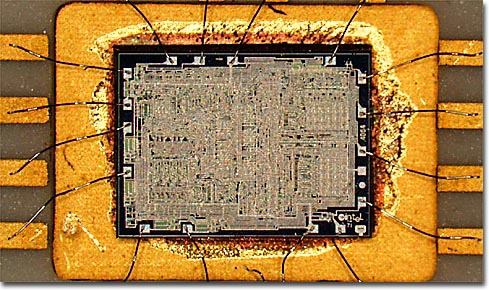
4004
The processor started in 1971 where Intel released its first processor in use on the buscom counter machine. This is the invention that started entering intelligent systems into the machine. This processor is called microprocessor 4004. Intel 4004 chip is preceded the development of the CPU by pioneering the laying of all components of the machine count in one IC. At this time IC does one task only.

2. Microprocessor 8008 (1972)
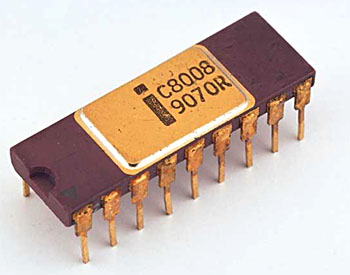
intel_8008_1 
In 1972 intel issued a microprocessor 8008 speed of 2-fold count of the previous MP. This MP is the first 8 bit mp. Mp is also designed to do one job only.

3. Microprocessor 8080 (1974)
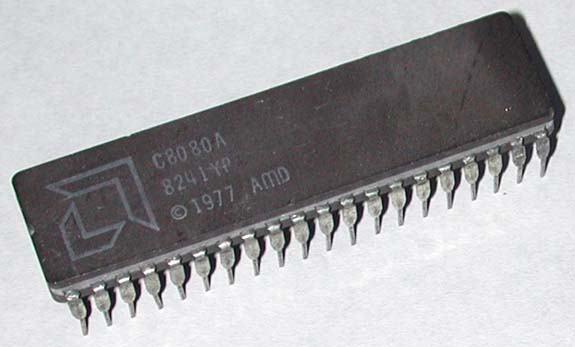
L_AMD-C8080A
In 1974 intel re-issue the latest mp with the 8080 series. In this series intel to change from multivoltage mp to triple voltage, the technology in use NMOS, faster than previous series that use PMOS technology. Mp This is the first brain for a computer called altair.Pada current memory addressing has reached 64 kilobytes. Speedya up to 10X mp before.
This year also comes mp from other manufacturers such as the MC6800 from Motorola -1974, Z80 from Zilog -1976 (two rivals heavy), and other Mega 6500 series processors, Rockwell, Hyundai, WDC, NCR and so on.

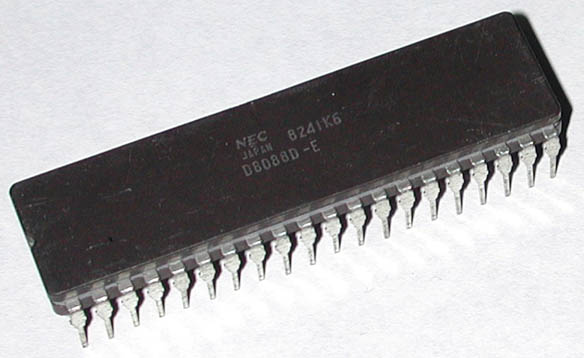
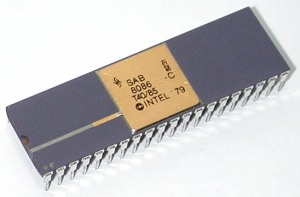
GENERATION 1 (Processor 8088 and 8086)
NEC-8088L_Siemens-8086
Processor 8086 (1978) is the first 16 bit Intel CPU using a 16 bit bus system. But 16 bit hardware such as motherboards is too expensive, where 8 bit microcomputer is standard. In 1979 Intel redesigned the CPU to fit the existing 8 bit hardware. The first PC (1981) had this 8088 CPU. 8088 is a 16 bit CPU, but only internally. The width of the external data bus is only 8 bits which gives compatibility with existing hardware.

Actually 8088 is a 16/8 bit CPU. Logically this processor can be named 8086SX. 8086 is the first CPU that really 16 bits in this family.

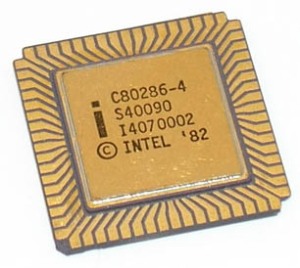
GENERATION 2 Processor 80286
L_Intel-C80286-4
286 (1982) is also a 16 bit processor. This processor has a relatively big improvement compared to the first generation chips. Clock frequency is increased, but the main improvement is the optimization of command handling. 286 produces more work every tick clock than 8088/8086. At the initial speed (6 MHz) work four times better than 8086 at 4.77 MHz. Later it was introduced with clock speeds of 8.10, and 12 MHz used on IBM PC-AT (1984). Another renewal is the ability to work in protected mode / new protection mode - a new mode of work with "24 bit virtual address mode" / virtual addressing mode 24 bits, which confirms the direction of switching from DOS to Windows and multitasking. But you can not switch from protected back to real mode / real mode without rebooting the PC, and the operating system that uses this is just OS / 2 back then.

GENERATION 3 Processor 80386 DX
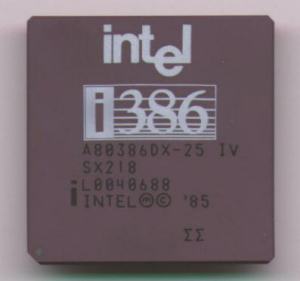
Intel386DX
386 launched October 17, 1985. 80386 is the first 32 bit CPU. From a traditional PC DOS point of view, not a revolution. The good 286 works as fast as the first 386SX-despite applying 32 bit mode. This processor can address up to 4 GB of memory and has a better way of addressing than 286. 386 works at clock speeds of 16.20, and 33 MHz. Later Cyrix and AMD made clones that worked at 40 MHz. 386 introduces a new working mode in addition to real and protected mode in 286. The new mode is called virtual 8086 that opens for multitasking because the CPU can create multiple virtual 8086s in each of its own memory locations. 80386 is the first CPU to work well with early versions of Windows.

Processor 80386SX
This chip is a complete incomplete chip from 386DX. This processor has only a 16 bit external data bus different from the 32 bit DX. Also, SX only has 24 address lines. Therefore, this processor can only address a maximum of 16 MB of RAM. This processor is not the real 386, but the cheaper motherboard makes it very popular.

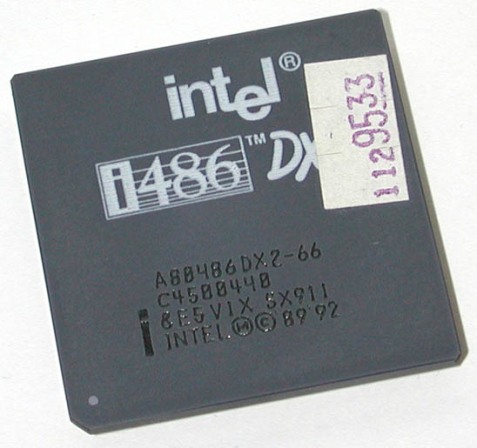
GENERATION 4 Processor 80486 DXL_Intel-A80486DX2-66 
80486 issued April 10, 1989 and works twice as fast than its predecessor. This can happen because handling x86 commands is faster, especially in RISC mode. At the same time the bus speed is raised, but 386DX and 486DX are 32 bit chips. Something new in 486 is to make one math coprocessor / mathematical auxiliary processor.

Previously, the math co-processor that had to be installed was a separate 387 chip, 486 also had an 8 KB L1 cache.

Processor 80486 SX
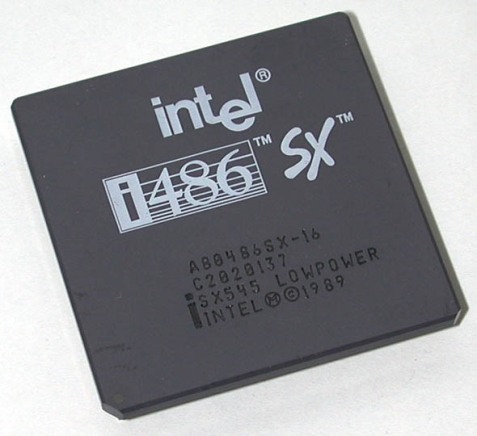
L_Intel-A80486SX-16
This processor is an incomplete new chip. Math co-processor removed compared to 486DX. Processor Cyrix 486SLC
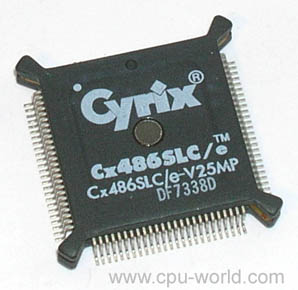
L_Cyrix-Cx486SLC-e-V25MPCyrix and Texas Instruments have created a series of 486SLC chips. The chips use the same set of commands as 486DX, and work internally 32 bit like DX. But externally it works only on 16 bits (like 386SX). Therefore, the chips only handle 16 MB of RAM. Moreover, it has only 1 KB internal cache and no mathematical co-processor. Actually the chips are only a 286 / 386SX improvement. The chips are not clone chips. The chips have a fundamental difference in architecture compared to Intel chips.

IBM 486SLC2 Processor
IBM has a homemade 486 chip. The series of chips are named SLC2 and SLC3. The latter is known as Blue Lightning. These chips can be compared with Intel's 486SX, because they do not have a single mathematical coprocessor. But it has an internal cache of 16 KB (compare with Intel which has 8 KB). What reduces performance is the bus interface of the 386 chip. SLC2 works on 25/50 MHz externally and internally, while the SLC3 chip works on 25/75 and 33/100 MHz. IBM makes these chips for their own PCs with their own facilities, logically logging them from Intel.

Further developments
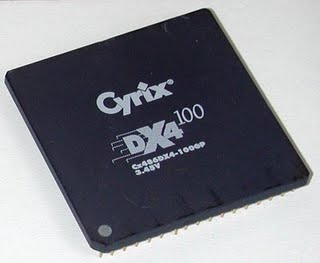
L_Cyrix-Cx486DX4-100
DX4; The Intel DX4 processors represent an increase of 80486. The speed is threefold from 25 to 75 MHz and from 33 to 100 MHz. Other DX4 chips are accelerated from 25 to 83 MHz. DX4 has an internal cache of 16 KB and works on 3.3 volts. DX and DX2 only have 8 KB cache and require 5 volts with built-in hot problems.

GENERATION 5 Pentium Classic (P54C)

This chip was developed by Intel and released on March 22, 1993. Pentium processor is super scalar, which means this processor can run more than one command per tick clock. This processor handles two commands per tick, comparable to two 486 in one chip. There is a major change in the system bus: its width is doubled to 64 bits and its speed increases to 60 or 66 MHz. Since then, Intel has produced two Pentiums working on the 60 MHz bus system (P90, P120, P150, and P180) and the rest, working on 66 MHz (P100, P133, P166, and P200).

Cyrix 6 × 86

The chip from the Cyrix company introduced February 5, 1996 is an inexpensive Pentium clone. This chip is compatible with Pentium, as it fits with Socket 7. Cyrix markets its CPUs by comparing at Intel clock frequency. Cyrix 6 × 86 is known for poor performance on its floating point. Cyrix has problems running NT 4.0.

AMD (Advanced Micro Devices)

Pentium-pentium AMD as chips offered by Intel compete tightly. AMD uses their own technologies. Therefore, the processor is not a clone-clone. AMD has the following series: - K5, can be likened to Pentium-pentium Classic (with 16 KB L1 cache and without MMX).

- K6, K6-2, and K6-3 compete with Pentium MMX and Pentium II.

- K7 Athlon, August 1999, not compatible with Socket 7.

AMD K5

K5 is a Pentium imitation. The old K5 as an example is sold as PR133 (Perform Rating). That is, that the chip will work like a Pentium P133. However, it only runs 100 MHz internally. The chip still has to be mounted on the motherboard like a P133. K5 AMD also have the PR166. This chip is meant to compete with the Intel P166. Works only at 116.6 MHz (1.75 x 66 MHz) internally. This is because the cache is optimized and other new developments. There are only features that do not comply with P166 that is in floating-point work. PR133 and PR166 are worth much cheaper than the comparable Pentium type, and this processor is very popular on machines with low prices.

Pentium MMX (P55C)
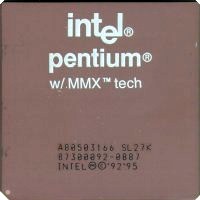

Pentium-pentium P55C was introduced January 8, 1997. MMX is a collection of new commands (57 new integers, 4 new data types and 8 64-bit registers), which adds to the CPU's capabilities. MMX commands are designed for multimedia programs. Programmers can use this command in their programs. This will provide improvements in running the program.

Winchip IDT

IDT is a smaller company that generates CPUs such as Pentium MMX at low prices. The first WinChip C6 IDT was introduced in May 1997.

AMD K6

K6 AMD launched April 2, 1997. This chip works slightly better than Pentium MMX. It is therefore included in the P6 family.

· Comes with 32 + 32 KB L1 and MMX cache.

· Contains 8.8 million transistors.

K6 as well as K5 compatible with Pentium. Then, it can be placed in Socket 7, on most Pentium motherboards, and this soon makes K6 very popular.

Cyrix 6 × 86MX (MII)

Cyrix also has a chip with a high performance, is between the 5th and 6th generation. The first type was seated against the Pentium MMX chip from Intel. The next type can be compared with K6. The powerful P6 group processor from Cyrix was announced as "M2". Introduced on May 30, 1997 the name became 6 × 86MX. Then named MII. The 6 × 86MX chip is compatible with Pnetium MMX and paired on a regular Socket 7 motherboard, 6 × 86MX has 64 KB of internal L1 cache. Cyrix also leverages technology that is not found inside the Pentium MMX. 6X86MX is specifically compared to other 6th generation CPUs (Pentium II and Pro and K6) because it does not work based on the RISC kernel. 6X86MX runs the original CISC commands like Pentium MMX. 6X86MX has - like all Dary Cyrix processors - issues related to FPU units. However, if only used for standard applications, this is not a problem. Problems will arise if playing 3D games. 6 × 86MX chip is powerful enough. But these chips do not have FPU and MMX that work well. These chips do not incorporate 3DNow technology!

AMD K6-2The next version of "model 8" K6 has the code name "Chomper". The processor on 28 May 1998 is marketed as K6-2, and like the original 7 K6 model version, made with 0.25 micron technology. These chips work only with 2.2 volt. This chip managed to become a rival Intel Pentium II. K6-2 is made for front side bus (system bus) at 100 MHz speed and Super 7 motherboard. AMD makes other companies like Via and Alladin, making new chip sets for traditional Socket 7 motherboards, after Intel knows 1997 to stop the platform. K6-2 is also improved with MMX performance which is twice as good as the initial K6. K6-2 has a new 3D plug-in (called 3DNow!) For better gaming performance. It consists of 21 new commands that can be used by software developers to provide better 3D performance.

Support is included in DirectX 6.0 for Windows. DirectX is a multimedia API, for Windows. DirectX is some program that can improve multimedia performance in all Windows programs. 3DNow Multimedia! not compatible with MMX, but K6-2 has MMX as well as 3DNow !. Cyrix and IDT also launch the CPU with 3DNow !.

K6-2 gives very, very good performance. You can compare this processor with Pentium II. K6-2 350 MHz work very similar to Pentium II-350, but sold cheaper. And can save more because the motherboard is cheaper.

GENERATION 6 Pentium Pro

The development of Pentium Pro began in 1991, in Oregon. Introduced on November 1, 1995. Pentium Pro is a pure RISC processor, optimized for 32 bit processing on Windows NT or OS / 2. The new feature is that the L2 cache is a single giant chip, with a rectangular chip and Socket-8. CPU and L2 cache units are separate units inside this chip.


Pentium II

Pentium Pro "Klamath" is the code name of Intel's top processor. This processor terminates the Pentium Pro series, which is partly reduced and in part there are improvements.

Introduced May 7, 1997, the Pentium II features:

· CPU is put together with 512 KB L2 in a SECC module (Single Edge Contact Cartridge)

· Connects with the motherboard using a slot one and a GT6 + P6 bus.

· MMX commands.

· Fixed running 16 bit program (nice for Windows 3.11 users)

· L1 cache replication and repair (16 KB + 16 KB).

· Internal speed increases from 233 MHz to 300 MHz (next version is higher).

· L2 cache works at half the CPU speed.

With the new design, L2 cache has its own bus. The L2 cache works at half the CPU speed, such as 133 MHz or 150 MHz. It is definitely a throwback from Pentium Pro, which can work on 200 MHz between CPU and L2 cache. This is answered with L1 cache. Below is the comparison:

Pentium II has been available in 233, 266, 300, 333,350, 400, 450, and 500 MHz (higher speeds soon emerge). With chip set 8244BX and i810 Pentium II has a very good performance.

Pentium II is a large rectangular plastic box, containing CPU and cache. There is also a small controller (S824459AB) and a large size cooling fan.

Early 1998 Intel had a difficult time with a rather expensive Pentium Pro II. Many users buy AMD K6-233M, which offers excellent performance at a decent price.

So Intel makes a brand new CPU called Celeron. This processor is the same as Pnetium II except the removable L2 cache. This processor can be called the Pentium II-SX. In 1998 Intel replaced its Pentium MMX with the first Celeron. Then the design is improved. The Celeron cartridge complies with Slot 1 and works on a 66 MHz bus system. The internal clock works on 266 or 300 MHz.

Pentium-II Celeron A: Mendocino
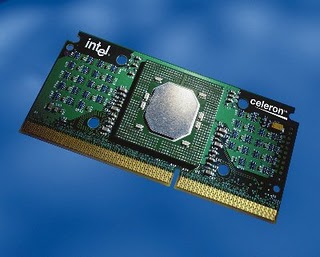
technoportmedia.blogspot.com

An interesting part of the new cartridge with 128 KB of L2 cache inside the CPU. This gives a very good performance, because the L2 cache works at full CPU speed. Celeron 300A is a chip in the card:

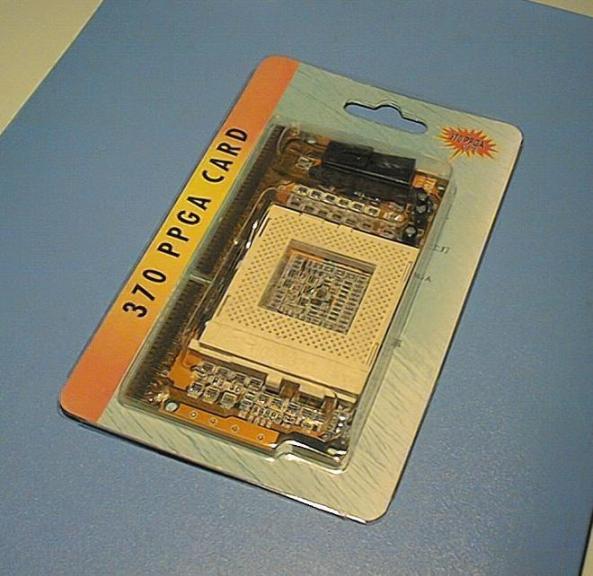
Pentium-II Celeron PPGA: Socket 370
http://www.tradenote.net/

New Socket 370 for Celeron. Processors 400 and 366 MHz (1999) are available in a plastic pin grid array (PPGA). The PGA370 socket looks like a traditional Socket 7 that has 370 pins.

Pentium-II Xeon
http://www.prof2000.pt

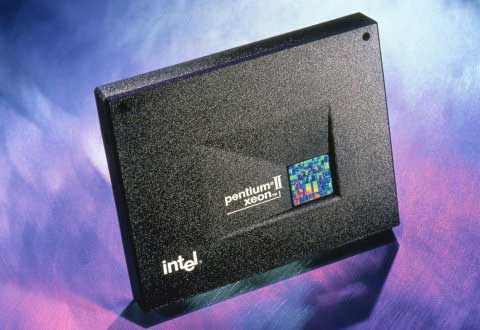
On 26 January 1998 Intel introduced a new Pentium II cartridge named Xeon. Intended for high-end servers and users. Xeon is a new Pentium II cartridge dash corresponding to a new connector called Slot two. This module is two cal higher than Pentium II, but there are other important changes and improvements:

· New RAM L2 cache type chip: CSRAM (Custom SRAM), which works at full CPU speed.

· Different L2 cache size: 512, 1024, or 2048 KB RAM L2.

· Up to 8 GB of RAM memory can be cached.

· Up to four or eight Xeons in one server.

· Supports clustered servers.

· New chip set 82440GX and 82450NX.

Xeon chips work at full CPU clock speeds. Can be expected, that will have the same performance as L1 cache. But the interface from L1 to L2 is worth a few ticks tick at the beginning of each switch, so there is some slowness. But if the data has been moved, it works at full clock speed.

AMD K6-3
(http://www.m571.com)
AMD K6-3 is a model 9 codenamed "Sharptooth", which may have a three-level cache:

· Few improvements compared to units K6-2

· L2 cache of 258 KB one chip

· A three level cache design

· New 133 MHz front side bus.

· 400 MHz clock speed with 450 MHz.

Both 64 KB L1 and 256 KB L2 cache are combined with the chip. The Cache on die L2 works at full processor speeds as performed on Pentium Pro, and as performed on Celeron A and on Intel Xeon processors.
This will definitely increase K6 speed a lot! Because K6-3 is used on Super 7 motherboards and space for cache the next level of L3 cache. The design of a three-level cache is made to use an existing motherboard up to 2 MB of on-board cache. This should be the L2 cache (on the motherboard) used as the third level cache. This happens automatically, and the bigger the cache name will increase its performance a lot!

Pentium III - Katmai
Pentium III coppermine


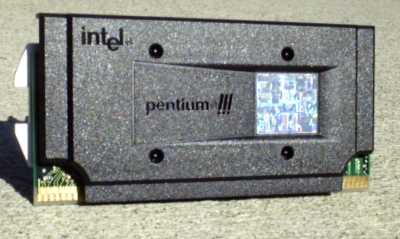
The first P6 CPU from Intel is the Pentium Pro. Then we got the PentiumII in various types. And the last is Pentium III. March 1999 Intel introduced the newly enhanced MMX2 collection for graphical perintayh (70 of them). This command is called Katmai New Instructions (KNI) / New Order Katmai or SSE. This command is intended to improve the performance of 3D games - such as 3DNow technology! AMD. Katmai includes "double precision floating-point single instruction multiple data" / "floating point with multiple precision one data command" (or DPFS SIMD for brevity) that works in eight 128 bit registers.

KNI was introduced in the new 500 MHz Pentium III. This processor is very similar to Pentium II. Using Slot 1, and just different on new features like Katmai and SSE support.

This processor is mounted on the motherboard with BX chip set and slot 1.

This processor has several features:

· Number of identifiers

· New register and 70 new commands

Finally the clock speed is raised up to 500 MHz with room for further improvement. The Pentium III Xeon (codenamed Tanner) was introduced March 17, 1999. The Xeon chip is updated with all the new features of the Pentium III. To make use of it Intel has announced the Profusion chip set.

The PSN identifier number (Processor Serial Number), unique to each CPU, has led to many security issues. This number is worth 96 bits programmed electronically into each chiop. In fact this means a very wise initiative, which can make electronic commerce and encryption within the Internet safe and effective.
L_AMD-AMD-K7750MTR52BGENERATION 7 AMD K-7 Athlon

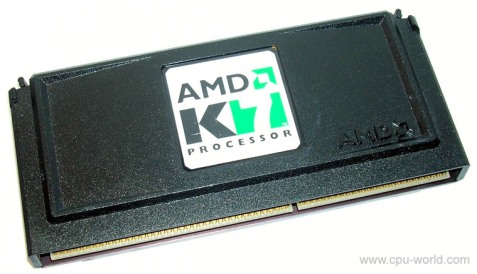
AMD's most staggering mainstream AMD processor was introduced in August 1999. Intel's response (Foster's code name) could not be expected until the end of 2000. In the first months, the market responded to Athlon very positively. It seems (as expected) to outperform the Pentium III at the same clock frequency.

· Like the modules on the Pentium II, which designs fully belong to AMD. The socket is called Slot A.

· 600 MHz clock speed is the first version.

· L2 cache reach 8 MB (minimum 512 KB, no additional TAG-RAM).

· 128 KB L1 cache.

· Contains 22 million transistors (Pentium III has 9.3 million).

· New bus type

· A completely new system bus type, which in the first version will work at 200 MHz. An increase of up to 400 MHz is expected later. 200MHz RAM speed is twice as fast as all existing Intel CPUs. This high speed will require new fast RAM to take full advantage of this effect.

· Free backside bus, connecting L2 cache. Here the clock speed can be ¼, 1/3, 2/3 or equal to the internal CPU frequency. It is the same system as used on P6 systems where the speed of L2 can be half (Celeron, Pentium II and III) or full CPU speed (like Xeon).

· Strong encoding and DPU

· Three command-coders translate the RISCx86 program command to an effective RISC command, ROP, where up to 9 commands can be executed serendively. The first test shows the encoding of 2.8 CISC commands per clock cycle. It is approximately 30% better than Pentium II and III.

· Can handle and rearrange up to 72 orders (outside ROP) simultaneously (Pentium III can do 40, K6-2 only 24).

· Great FPU performance with three simultaneous commands and one GFLOP on 500 floating point. Two GFLOP with MMX and 3DNow commands! It is at least the same as the Pentium III performance by fully utilizing Katmai. 3DNow Engine! even improved compared to K6-3.

· AMD has no license to use Slot 1 design, so the controller logic circuit comes from Digital Equipment Corp. Called EV6 and designed for Alpha 21264 CPU. AMD companies plan to develop their own chip set, but the design will be royalty free to use. This makes the first AMD processor that uses motherboards and chip sets designed specifically by AMD itself.

· The use of EV6 buses gives a lot more band width than Intel GTL +. This means that Athlon has the ability to work with new RAM types such as RDRAM. Also the use of 128 KB of L1 cache is quite heavy. The L1 cache is important if the clock speed is increased and 128 KB is twice the size of the Pentium II.

· Athlon will be present in several versions. The "slowest" version has L2 cache that works one-third of the CPU speed, which works best at full CPU speed (as Xeon does). Athlon will provide Intel's competitions in all levels including servers, which can be compared with Xeon processors.

8th Generation Intel Core 2 duo

8th generation processor is Core 2 Duo which was launched in July 2007. This processor uses microprocessor with x86 architecture. The architecture by Intel is called Intel Core Microarchitecture, where the architecture replaces the old architecture from Intel called NetBurst since 2000 ago. The use of Core 2 also marks the era of the new Intel processor, where the Intel Pentium brand that has been in use since 1993 was replaced with Intel Core.

At this time Core 2 design is very different from NetBurst. On NetBurst that is applied in Pentium 4 and Pentium D, Intel put forward a very high clock speed. While on the new Core 2 architecture, Intel is more emphasis on the increase of the features of the CPU, such as cache size and the number of cores that exist in Core 2 processor. Intel party claims, the power consumption of the new architecture requires only very little power compared to the previous Pentium processor lineup.

Intel Core 2 processor has features such as EM64T, Virtualization Technology, Execute Disable Bit, and SSE4. Meanwhile, the latest technology is carried LaGrande Technology, Enhanced SpeedStep Technology, and Intel Active Management Technology (iAMT2).

Here are some codenamed of processor cores found on Intel Core 2 processor products, of course the codenamed have differences between each other.

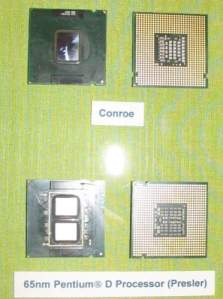
conroe_03 


CONROE

Core processors from Intel Core 2 Duo are first codenamed Conroe. The processor is built using 65 nm technology and is intended for desktop use to replace the Pentium 4 and Pentium D line. Even the Intel claims that Conroe has a 40% better performance compared to Pentium D which must have been using dual core as well. The Core 2 Duo only requires 40% less power than the Pentium D to produce the above mentioned performance.
Processors that already use the Conroe cores are labeled with "E6 × 00". Several types of Conroe that have been circulating in the market is type E6300 with clock speed of 1.86 GHz, type E6400 with clock speed of 2.13 GHz, type E6600 with clock speed of 2.4 GHz, and type E6700 with clock speed of 2.67 GHz. For processors with type E6300 and E6400 have Shared L2 Cache of 2 MB, while the other type has L2 cache of 4 MB. The lineup of this processor has a FSB (Front Side BUS) of 1066 MT / s (Megatransfer) and the power required is only 65 Watt TDP (Thermal Design Power).

Based on the testing that is in some sites that we found, up to this writing down the processor from the Core 2 family is able to rival the enemy magnitude, namely AMD. And when overclocking up to 4 GHz though, processor with type E6600 and E6700 still able to work in stable even though multipliers owned very limited. The results break the notion of an overclocking community who think that Intel's processors are not to be overclocked. In fact, some of the processors tested by some of these sites, Intel Core 2 Duo even able to outperform AMD which has been a long time "king" of the line of processors used for desktop especially 3D Now!
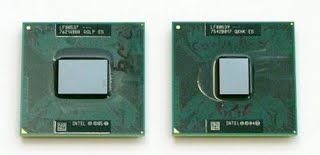
conroe xeCONROE XE

The next Core processor is Conroe XE which is currently a lot of talks. Conroe XE itself is a core processor from Intel Core 2 Extreme which was launched simultaneously with Intel Core 2 Duo on July 27, 2006. Conroe XE has more power compared with Conroe. The first and the only type released by Intel for the Core 2 Extreme processor line is the X6800 and is already on the market today despite the very limited number.

Intel Core 2 processor that is already using Intel Core 2 Extreme with core Conroe XE will replace the position of the Pentium 4 EE (Extreme Edition) and Dual Core Extreme Edition. Core 2 Extreme has a clock speed of 2.93 GHz and a FSB of 1066 MT / s. The family of Conroe XE requires a TDP of only 75 to 80 Watts. In the state of full load temperature processor of X6800 produced will not exceed 450C. Another if the SpeedStep function is in the active state. If active, then the processor temperature when idle state produced by X6800 only about 250C. Quite impressive, considering the previous generation Intel Pentium 4 Extreme Edition processor produces heat that can be said to be very high.

Almost the same as Core 2 Duo, Core 2 Extreme has a shared L2 cache of 4 MB only the most visible difference from both Conroe is the speed of each clock speed alone. Actually for an "Extreme Edition" class of processors, the difference should be even more, not just based on the size of its clock speed alone. In addition to the difference in clock speed, Core 2 Extreme features to change multipliers up to 11x (step) to get maximum overclocking results. Other unique features included in Core 2 Extreme Edition this time are larger FSB, L2 cache larger, and the existence of L3 cache.

Intel Core 2 Extreme Edition with X6800 type has 36% higher performance compared to AMD Athlon 64 FX-62. Core 2 Extreme Edition X6800 can be overclocked to 3.4 GHz just by using a standard heatsink only, the ability is quite extraordinary we think because then you do not need additional funds for a heatsink.
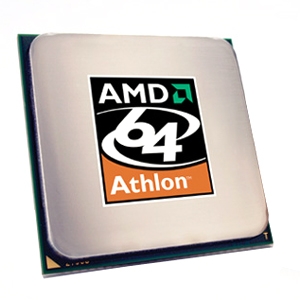
amd-athlon-64-3800-cp2-3AMD Athlon 64

Released on September 23, 2003, the Athlon 64 is AMD's first production processor for the K8 CPU family intended for the desktop and laptop computer market. Simultaneously, AMD also released the Athlon 64 FX, another version of the Athlon 64 intended for enthusiast users.

The main feature of the K8 architecture is the implementation of 64-bit technology (AMD64). Although it operates as a 64-bit processor, Athlon still supports 8-bit, 16-bit, and 32-bit applications. In addition, there are some basic features that K8 architecture has, such as:

    L1-cache of 128KB, while the capacity of L2-cache varies, among others 512KB or 1MB, depending on the variant.
    The memory controller is integrated on the processor so it runs with the same clockrate as the clockrate processor. Data access to memory is also "short" compared to when the memory is in "north bridge" so that it can reduce the latency significantly.
    Using Hyper Transport (HT) technology to convert traditional FSB where processor is connected with other components by using links with higher bandwidth, and lower latency.
    Support for SSE2 instructions and from Arhlon 64 revision cores E3 (Venice), added support for SSE3 instructions.

Athlon 64 initially used a 130 nm manufacturing process, then switched using a 90 nm, and 60 nm manufacturing process. Support processor used Athlon 64, namely:

    "Socket 754", uses 64-bit memory interface (Single Channel), and Hyper Transport 800 MHz frequency.
    "Socket 939", uses 128-bit memory interface (Dual Channel), and 1000 MHz Hyper Transport frequency.
    "Socket AM2", which for the first time supports the use of DDR2 SDRAN memory to increase memory bandwidth up to 12.8 Gb / sec.

As for Athlon 64 FX, in addition to using "Socket 939" and "Socket AM2", also uses "Socket 940" and "Socket F".

The first processor that uses the K8 architecture is AMD Opteron. This processor was released on April 22, 2003, and is a Server / workstation class processor. AMD Opteron is manufactured with a choice of frequencies 1400 MHz - 3000 MHz, using "Socket 939" and "Socket 940". AMD Opteron is designed in 3 versions, namely: Processor for system uni-processor, dual-processor system, and system with 4 to 8 processor.


Pentium 4 Prescott
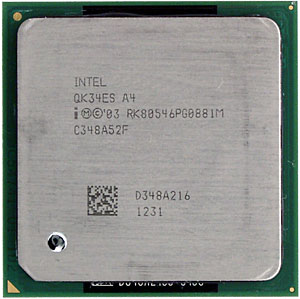
pentium4prescott_01Although using the name Pentium 4, processor that was released February 1, 2004, the architecture has undergone a change from the previous Pentium 4 architecture. The processor is manufactured to meet Intel's ambition of reaching the pipeline processor, and becoming one of the power-hungry processors.

Pentium 4 Prescott is redesigned in two versions, supporting Hyper-Threading technology with FSB 800 MT / s, and which does not support Hyper-Threading technology with FSB 533 MT / s. In addition to support for basic features such as "MMX", "SSE" and "SSE2" on all Prescott models, Intel also added the "SSE3" feature and L2-cache capacity to 1024 KB. For some models equipped with 64-bit technology support Intel 64 "(x86-64 implementation), and support for" XD bit "technology (NX bit implementation).

9th GENERATION


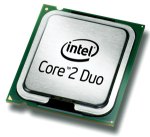
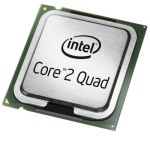
IntelCoreDuo2introIntel Core 2 Quad

Intel Core 2
The Microprocessor Core 2 family was first introduced on July 27, 2006, based on the Intel Core microarchitecture. Produced in several versions, "Solo" (single-core / single into, available only in mobile version), "Duo" (dual-core / core), Quad (quad-core) 2007, "Extreme" version (Two or four core). Processor Core 2 Duo has two cores in sati die. While on the Core 2 Quad processor, Intel uses Multi-Chip Module technology, where the processor consists of two dies, and each die there with a Core 2 Duo.

In the Core 2 processor embedded 167 million to 820 million ransistor, using 65 nm and 45 nm technology. The capacity of L1-cache Core 2 is 64 KB on each core processor, while the L2-cache capacity varies between 2 MB, up to 12 MB (2 x 6 MB) and FSB between 533 MT / s up to 1600 MT / s, depending on model .

All Core 2 processor models support "MMX", "SSE", "SSE2", "SSE3", "SSSE3", "Enhanced Intel SpeedStep Technology" (EIST), "Intel 64" (x86-64) "XD bit "(Implementation of NX bit), as well as" iAMT2 "(Intel Active Management). For some models, Intel adds support for "Intel VT-x" features (Intel Virtualization Technologies for x86), "TXT" (Trusted Execution Technology), and "SSE4" (Penryn).

Although the Core 2 processor runs at a lower frequency compared to the Pentium 4, but with its more efficient architecture make the performance of Core 2 is much better.

The 9th Generation Transition
Intel Pentium D was released on May 25, 2005, a two-core processor whose two cores are not in one die. This processor has two dies each containing one core. This processor is based on Intel NetBurst micro-architecture and has almost all features of Prescott / Cedar Mill, plus some new features like "EIST", "Intel 64", "XD bit", as well as for some models also feature "Intel VT-x) . Overall, the Pentium D Performance Improvement is not very significant compared to Pentium 4, although it consumes higher power than the Pentium 4.
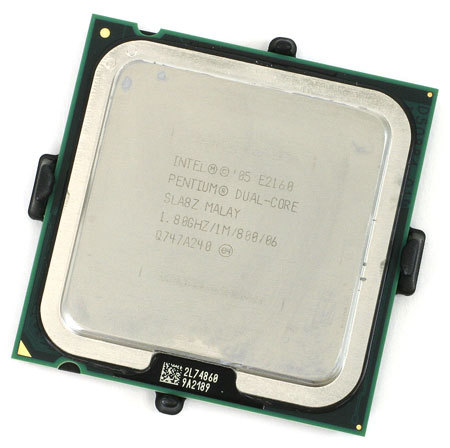

intel_pentium_dual-core_e2160Intel Pentium Dual-Core

Although using the Pentium name, this processor is based on micro-architecture "Intel Core", so it has the basic features of microarchitecture "Intel Core". The new "Intel VT-x" feature support is available in the "Wolfdale-2M" series, and that is only for some models. Available clockspeed options are between 1.3 GHz to 2.8 Ghz with FSB 533 MHz, up to 1066 MHz, as well as 1MB-2MB L2-cache capacity.

maybe just a discussion about the history of the processor thanks.

Keyboard History and Its Functions

Juli 20, 2018
Surely you are familiar if talking about Keyboard Laptop / Computer. The keyboard is one of the Device Input Devices on the computer and I have discussed it clearly in the last post about the various Input Devices.

This time I will discuss in detail from the existing computer input device part is Keyboard. ranging from Understanding Keyboard and Keyboard Functions.

Keyboard is the most important input unit in a data processing with computer. The keyboard can function to enter letters, numbers, special characters and as a medium for the user (the user) to perform other necessary commands, such as saving files and opening files.
Short History Keyboard


Keyboard is an input tool used to type information into a computer and run various instructions or commands into a computer. The creation of a computer keyboard was inspired by the creation of a basic typewriter designed by Christopher Latham in 1868 and widely marketed in 1877 by the Remington Company.

The creation of a computer keyboard comes from a typewriter model created and patented by Christopher Latham in 1868, and in 1887 was produced and marketed by the Remington company. Keyboard used today is QWERTY type, in 1973, this keyboard was inaugurated as standard ISO keyboard (International Standard Organization) .The number of keys on this keyboard amounted to 104 keys.Keyboard now that we know has some kind of port, the serial port, ps2 , usb and wireless.

The first computer keyboard was adapted from punch cards and remote post teletype technology (Teletype). In 1946 the ENIAC computer used a punched card reader as an input and output device.

When you hear the word "keyboard" then our minds are not separated from the existence of a computer, because the keyboard is a board consisting of buttons to type the sentence and other special symbols on the computer. Keyboard in Indonesian means finger board or keypad.


On the keyboard there are buttons A - Z, a - z, numbers 0 - 9, special keys and characters like: `~ @ # $% ^ & * () _ - + = <> /,. ? :; "'\ | as well as other special buttons that the total number is 104 buttons. While on the Machine type the number of buttons is 52 keys. The shape of the keyboard is generally rectangular, but currently the keyboard model is very varied. The most famous keyboard is a QWERTY keyboard that has 101 keys (buttons). Most keyboards have keys that are organized into the following sections:

    Alphanumeric Key
    Numeric Keypad
    Function Key
    Modifier Key
    Cursor Movement Key

In addition, in using the Ms. application Office (especially MS Word) there are several Keyboard buttons that have functions when combined or combined with other buttons, examples like below;

    Ctrl + A = Select All
    Ctrl + B = Bold
    Ctrl + C = Copy
    Ctrl + D = Font
    Ctrl + E = Center Alignment
    Ctrl + F = Find
    Ctrl + G = Go To
    Ctrl + H = Replace
    Ctrl + I = Italic
    Ctrl + J = Justify Alignment
    Ctrl + K = Insert Hyperlink
    Ctrl + L = Left Alignment
    Ctrl + M = Hanging Indent
    Ctrl + N = New
    Ctrl + O = Open
    Ctrl + P = Print
    Ctrl + Q = Normal Style
    Ctrl + R = Right Alignment
    Ctrl + S = Save / Save As
    Ctrl + T = Left Indent
    Ctrl + U = Underline
    Ctrl + V = Paste
    Ctrl + W = Close
    Ctrl + X = Cut
    Ctrl + Y = Redo
    Ctrl + Z = Undo
    Ctrl + 1 = Single Spacing
    Ctrl + 2 = Double Spacing
    Ctrl + 5 = 1.5 lines
    Ctrl + Esc = Start Menu

For more details on the keyboard function in detail, you can see the full explanation below yes;

Keyboard Types:

    QWERTY
    DVORAK
    KLOCKENBERG

Without a keyboard, such a computer does not produce anything because the vital command tool is the keyboard. Using the keyboard, a computer is able to produce documents that are then printed through the printer. The various documents you see today, such as books, papers, papers, and various blogs in the internet world, are all generated using the help of the typewriter. So, already know not how much influence or benefit in our daily life?
Keyboard Definition

The keyboard is an input device and is one of the computer hardware that has a variety of buttons that have different functions depending on the emphasis that can produce the process according to our will.

Keyboard plays an important role also to the performance of a computer or laptop. If a computer does not have a keyboard, no data entry commands can be performed. Actually it can be with the help of the mouse, but not all the input commands can be with the help of the mouse.

From the above function can be seen also that the function of a keyboard is to give commands to the computer to carry out data processing using the software.

Keryboard Function Computer / Laptop

There are various descriptions or explanations related to this Keyboard function, for more details and detailed explanations;

1. Keyboard Functions Viewed From the Button Variant

Keyboard, has a main function as a typewriter, as the name of the keyboard. The keyboard is tasked with displaying numbers, letters, and symbols on your computer monitor screen which are then printed into documents or intentionally created as digital data on the computer.

Keyboards basically do not always output the form of numbers, letters, and symbols. Some buttons are designed to function as a command. For example, there is an escape key that works to exit the application or program you are running. Then there is also the F5 key in charge of refreshing your computer. After that there is also a keyboard function as a navigation where you have to press the arrow, page up, and page down.

With so many buttons inside the keyboard, it is certain that every key in the keyboard has a variety of functions. At the very least, there are two basic functions of the computer keyboard, the function of a single key keyboard, and also the function of a combination of more than two keyboard keys.

Because the keyboard has a function that is important enough in terms of input into the software, of course if there is a mistake and even damage from the keyboard will be very disturbing. To keep the function of this keyboard button, the user at least knows how to keep the keyboard so that it is not easily damaged by not using it too hard in pressing every key.

Keyboard that also serves as a tool to replace the mouse when not working is enough to be a hardware to note. Here's a more complete explanation;

2.Function Single Keyboard Button (One Button)

Here are some of the single functions of a single keyboard button, along with the name of the button:

1. Alphanumeric Button
It functions to characterize characters as well as numbers on a computer.

2. Asterisk button
Asterisk buttons are useful for inputting from asterisk characters, such as punctuation.

3. Capslock button
To make the letter uppercase or capital letter.

4. Shift key
To perform the complementary functions of each key, such as creating one capital letter, and also selecting the non-alpha key

5. Esc
Esc or escape has the function of cancelling the dialog box, pause in a game, and also to stop the animation.

6. Function Keys F1 to F12
    F1 is mostly used to bring up the help menu or help
    F2 serves to rename the selected item or object
    F3 function to bring up the search all files dialog box
    F4 Function to bring up menu Go to A Different Folder
    F5 serves to refresh the window, browser and desktop
    F10 function to activate menu bar
    F11 function to enable full screen mode

7. Print Screen
This button serves to make the process of taking screen shoot from the screen or display your computer is being displayed.

8. Tab
This button is useful for selecting options or options that exist in a dialog box or dialog box.

9. CTRL
Ctrl or control is a button that allows you to perform multiple (multiple) selections using mouse help

10. Windows key
This button is usually at the bottom, between the alt keys and also ctrl. The main function of this button is to open the start menu on windows

11. Alt
The Alt key does not have a specific function as a single button. The functionality of Alt will be much talked about using keyboard key combinations.

12. Space Bar
Space bar is the most obvious keyboard key, located at the bottom, and the longest. Spacebar button is used to insert space or spaces between characters or between sentences in the function of writing and making documents in the computer.

13. Enter
Enter has several main functions. In writing the document, enter is useful to create a new paragraph in the document. While in the application, the enter key can mean as OK, and is used also to select the options to be executed

14. Backspace
Backspace backups are used to delete individual characters in a document.

15. Delete
Delete button serves to delete a file.

16. Home
The home button serves to restore you on the first page of a document page, or browser.

17. Page Up
This page up button works to raise the page, widely used in browser and also document creation.

18. Page Down
Page down is widely used as the opposite of page up, ie lowering the page.

19. Arrow keys
Arrow keys consist of 4 directions, ie up, down, left, and also direction to the right. The function of this button, which is to direct in selecting the files to be selected.

20. Num Lock
Num Lock is a key that serves to melakukn locking on numeric key or numeric keypad

21. Fn
Fn is short for function. This button is usually mostly found on the laptop keyboard, which has a smaller size than the desktop PC keyboard usually. Used as compositions to bring up functions that match the color of the button.

3. Combination Key Function on Keyboard
This keyboard combination key function can be obtained when you press more than one keyboard key at a time. The following are some of the following keyboard combination keys with their functions:

1. Combination Ctrl

The first is a combination of the CTRL key, which consists of several combinations, such as:

    Ctrl + A is useful for selecting all items in the window.
    Ctrl + B function to perform character thickening (bold) on document formatting.
    Ctrl + C works to copy the document or files.
    Ctrl + F functions for find or search function.
    Ctrl + I to do an italic formatting or a letter that is tilted on a document or word.
    Ctrl + N opens a window or a new window. Can also be used to open new documents, new email as well as new tabs in the browser (N = New).
    Ctrl + O works to open fie or document (open).
    Ctrl + P function to run document printing function.
    Ctrl + S has a function to saving documents and files.
    Ctrl + U to perform underline formatting or underline in a document.
    Ctrl + V serves to paste the documents or files that have been copied before.
    Ctrl + W works to close the open document.
    Ctrl + X serves to cut or cut the selected file, and put it in the clipboard.
    Ctrl + Y is used to perform functions from redo files or documents.
    Ctrl + Z is the opposite of ctrl + Y, that is to do undo process.
    Ctrl + Esc is used to open the start menu on windows.
    Ctrl + drag files This combination will help the user to directly copy a file.
    Ctrl + Shift + Drag files This combination of keys is useful for creating shortcuts from a file.
    Ctrl + F4 serves to close the window or window of an application, without having to exit the application.

2. Windows Button Combination (Win)

The second combination is a combination of windows (Win) button. The following are some of the functions of the windows combination buttons:

    Win + D to minimize the entire window.
    Win + E opens windows explorer.
    Win + F to bring up the Find dialog box.
    Win + L to lock your windows operating system.
    Win + M to minimize the open window.
    Win + Shift + M to reopen the last minimized window.
    Win + R opens the RUN command.
    Win + F1 to display the hel menu on windows.
    Win + Tab has the same functionality as Alt + Tab, to select a window that is already open.

3. Combination of the Alt Keys

The next combination is a combination of the Alt key on the keyboard. Here are some combinations of the Alt key on the keyboard:

    Alt + F4 to exit from active window, can also to shut down.
    Alt + Space Bar to display the menu system.
    Alt + enter To see the properties of the selected item.
    Alt + Tab to select the window or window that has been opened.

Reference sources:

    dosenit.com/hardware/keyboard/function-keyboard-keyboard-computer
    http://kamusinformasiteknologi.blogspot.co.id/2014/01/sejarah-keyboard-dan-perkembangannya.html

Well that's the complete explanation of the Keyboard Laptop / Computer Functions, hopefully with this will help you all in learning the basics of computers.

If this article is useful for you all, please share and share it with your friends through share button below this article. congratulations to learn and thank you.